
DigitalGenius Chat Features
The Genius Chat widget is packed with features designed to give your customers
the best possible experience — from the moment the widget opens to the
post-conversation survey.
Home Screen
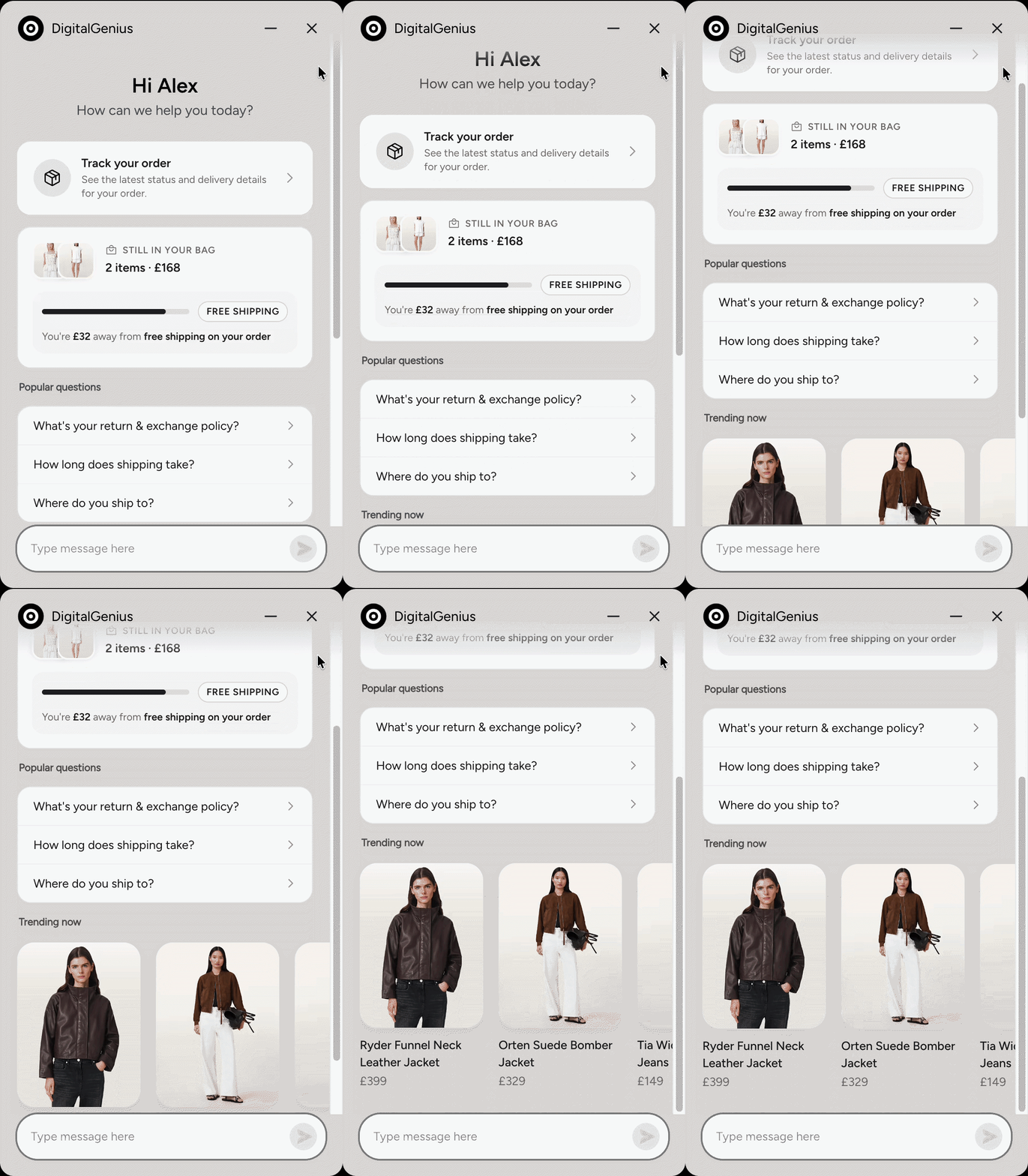
Direct customers onto the right path from the moment the widget opens —
with popular questions, featured products, and (on Shopify) the current
product, order tracking, cart promotions, and buy-it-again.
See the Home Screen
documentation for full details.
Carousels
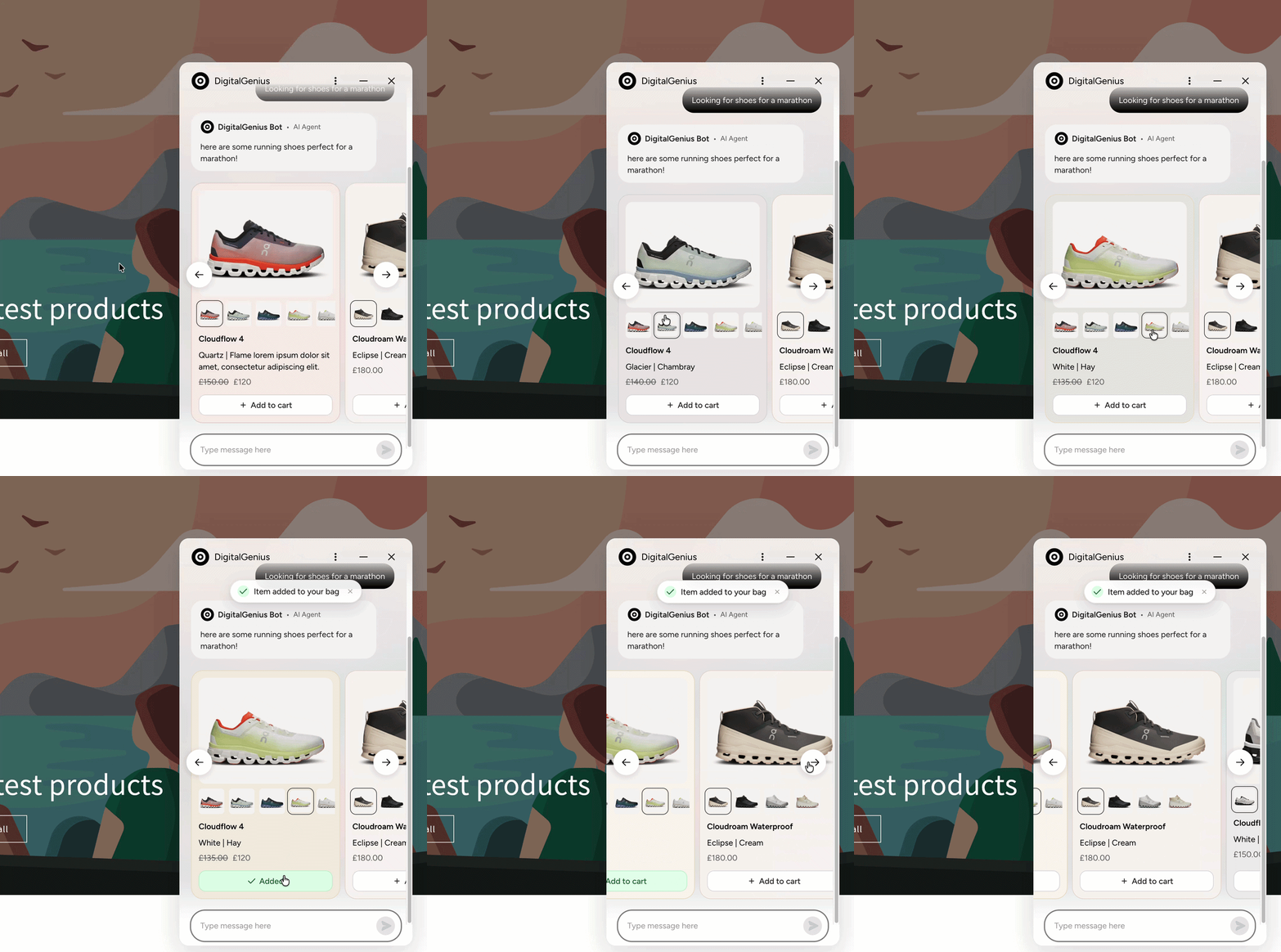
Present customers with highly customisable carousels. Cards support images,
titles, descriptions, and buttons — including product variant selection and
multi-select, where the customer can pick several cards before confirming.
Add to cart
On Shopify stores, product carousels can include an Add to cart button so
customers can add an item — or a selected variant — to their cart without
leaving the chat. A confirmation banner appears once the item is added.
Chat Campaigns
Campaigns let you reach customers with timely, targeted
messages powered by real-time triggers and smart segmentation — reducing cart
abandonment, increasing conversions, and unlocking upsell opportunities. See
the Campaigns documentation for full details.
Quick Replies
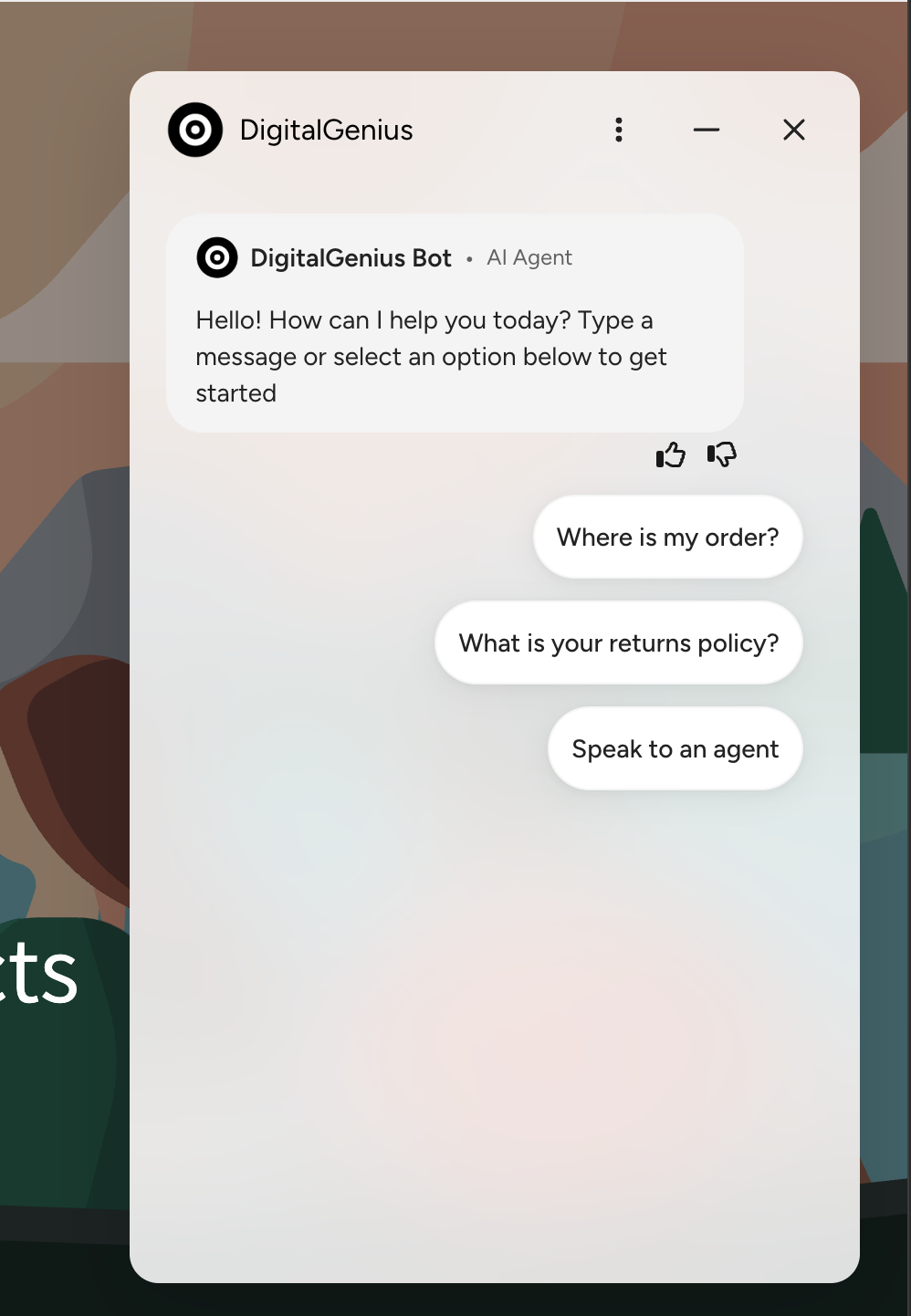
Prompt customers with button options, guiding them to the most relevant help
in a single tap.
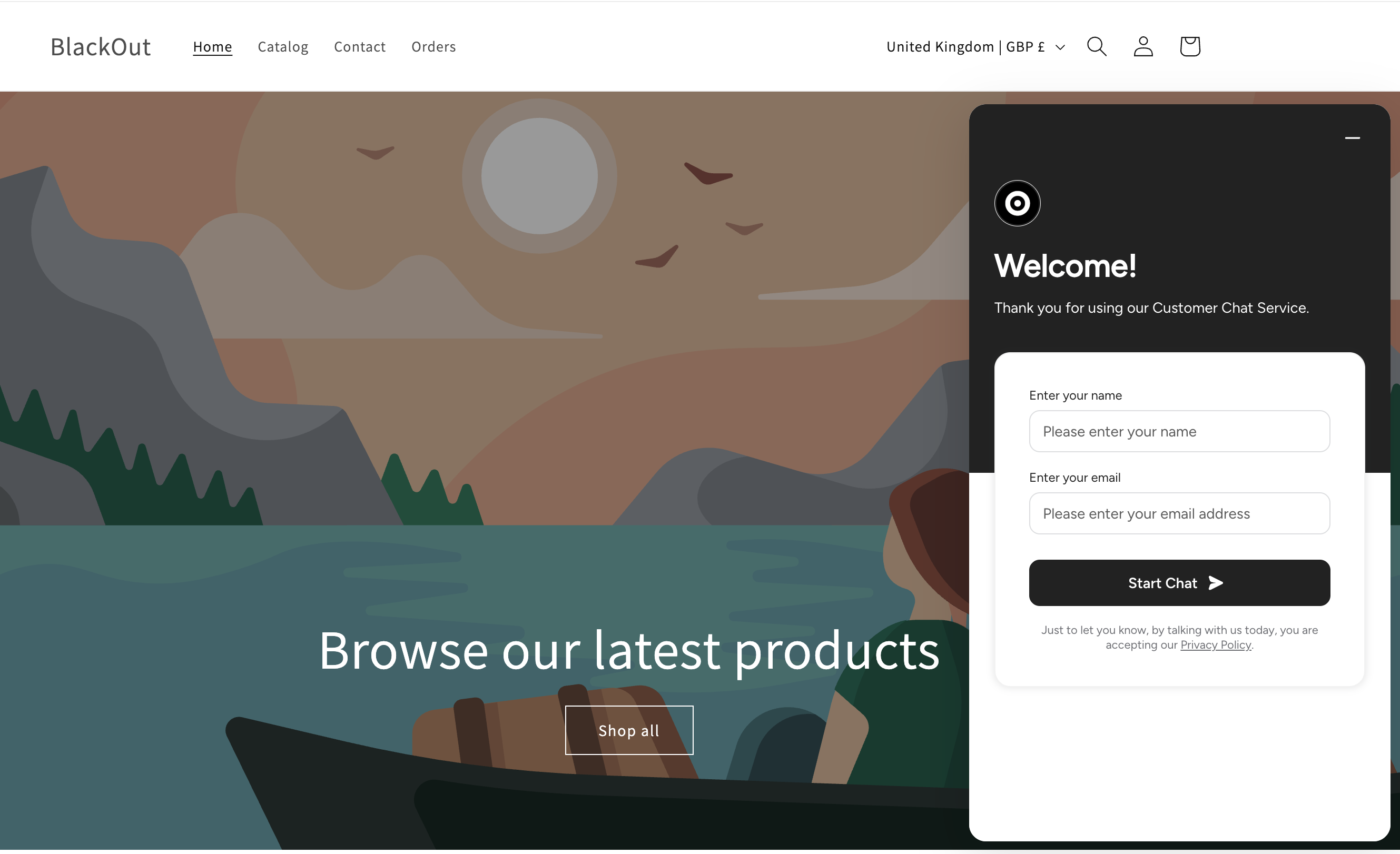
Pre Chat Form
Optionally capture the customer's details before the conversation begins.
Each field can be mandatory or optional, with customisable validation.
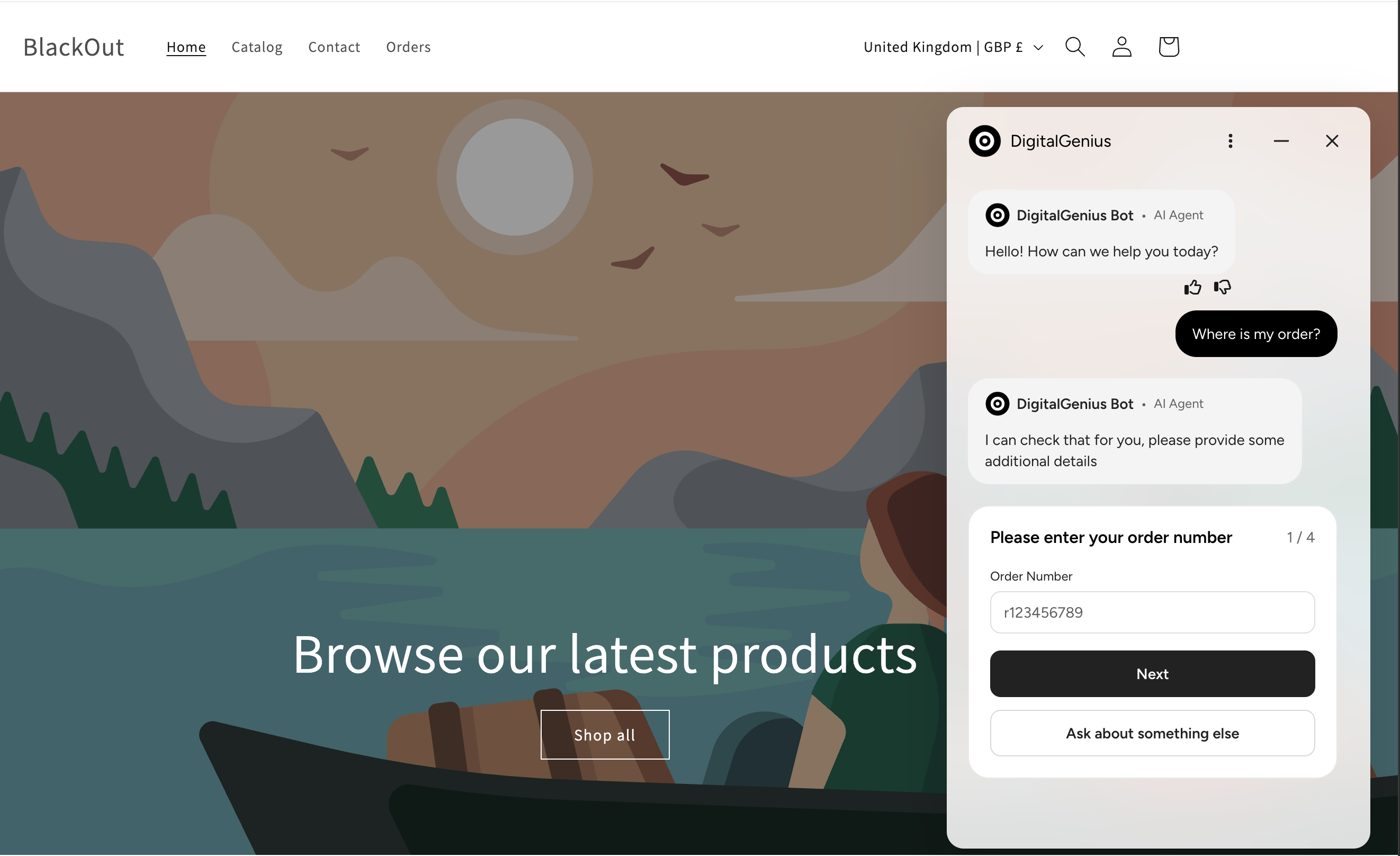
In Chat Forms
Request information from customers during the conversation — from a simple
contact details form to multi-step forms mixing free text and dropdown
fields, with a summary card echoing the submission back into the chat.
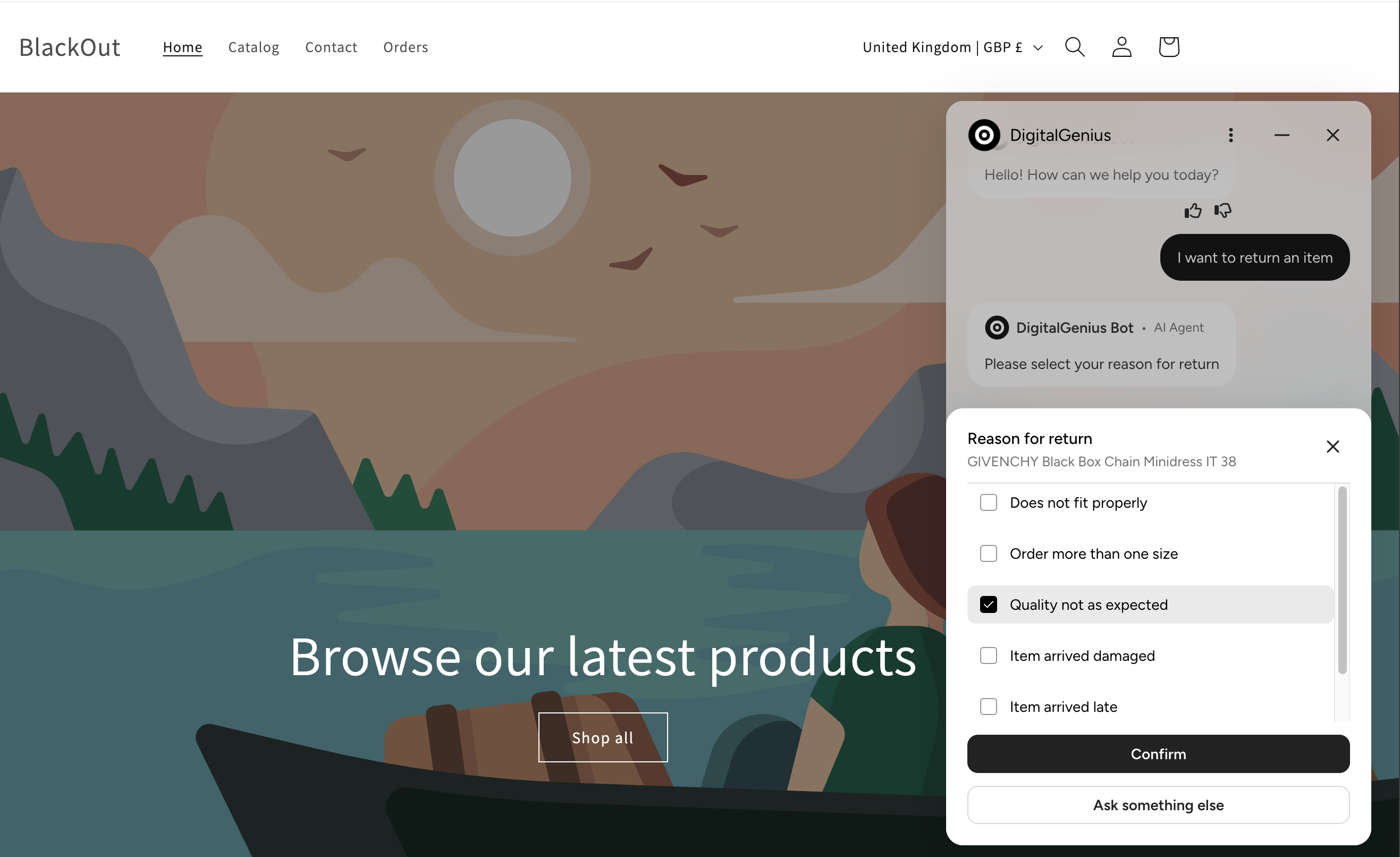
Lists
Let customers select from a list of options — single tap, or multi-select
with a confirm step.
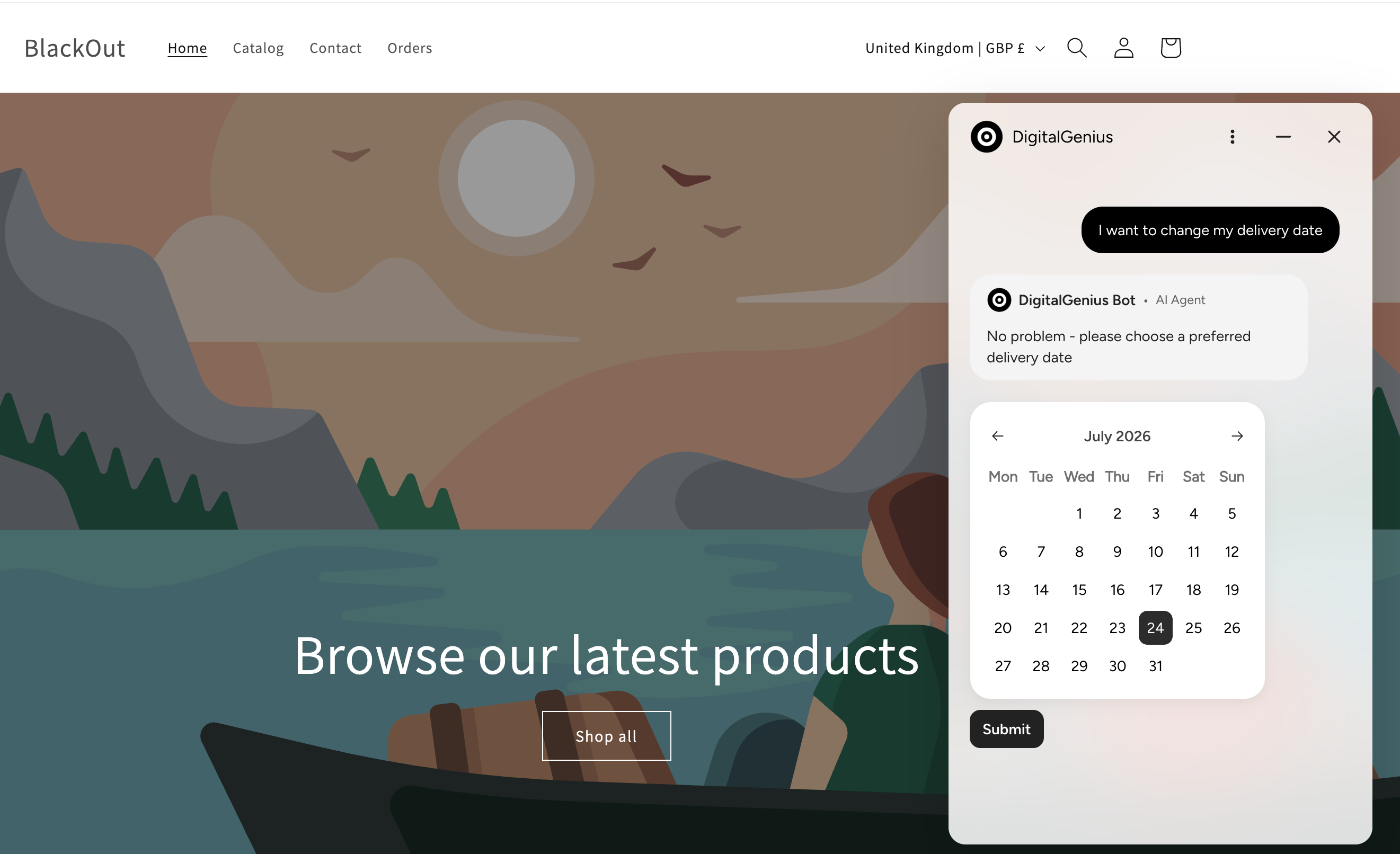
Calendar
Allow customers to select dates and date ranges directly inside the widget.
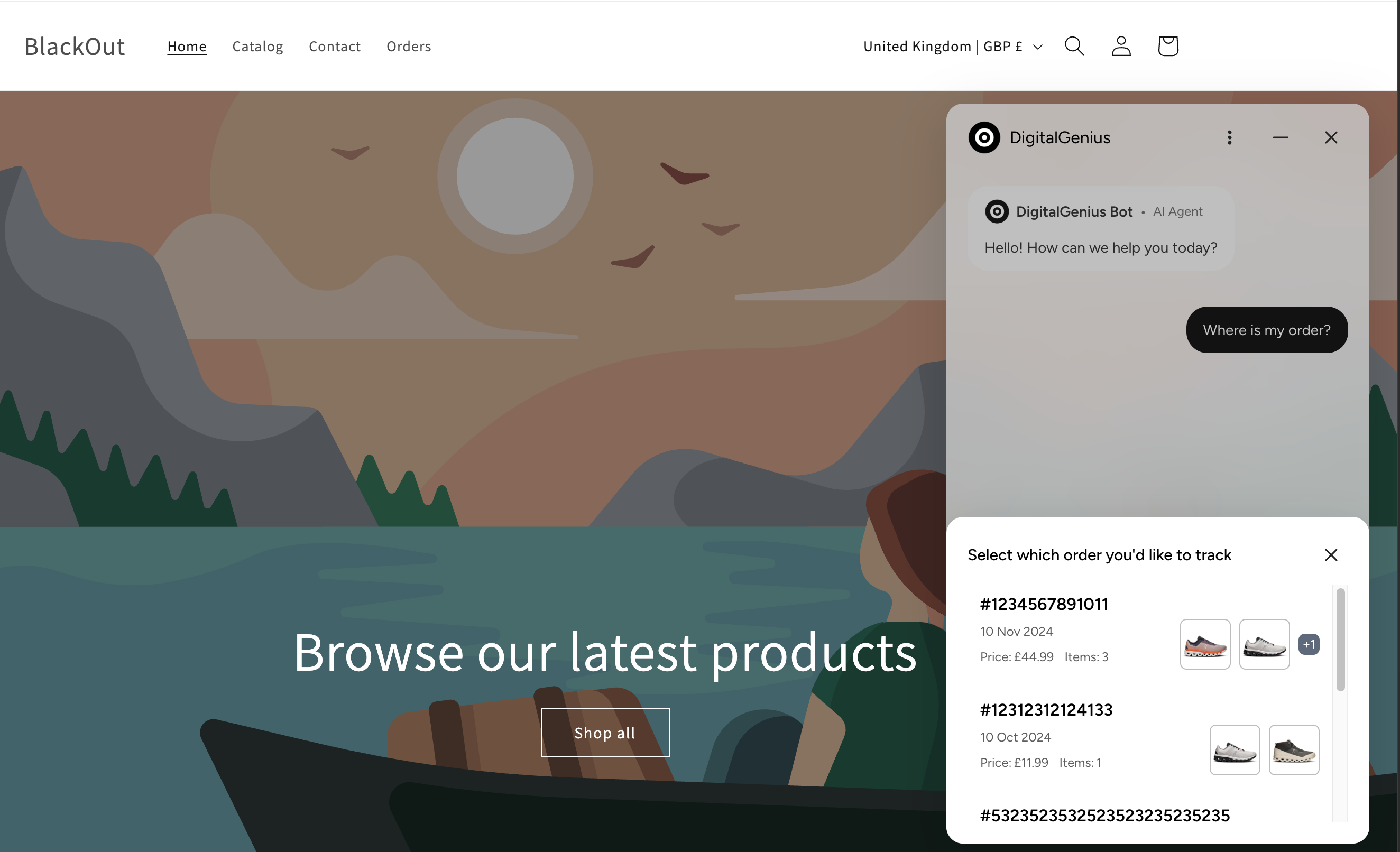
Order Tracker
Show customers the status of their order without leaving the chat: a rich
message with the ordered products, and a detail popup with tabs for order
status and ordered items.
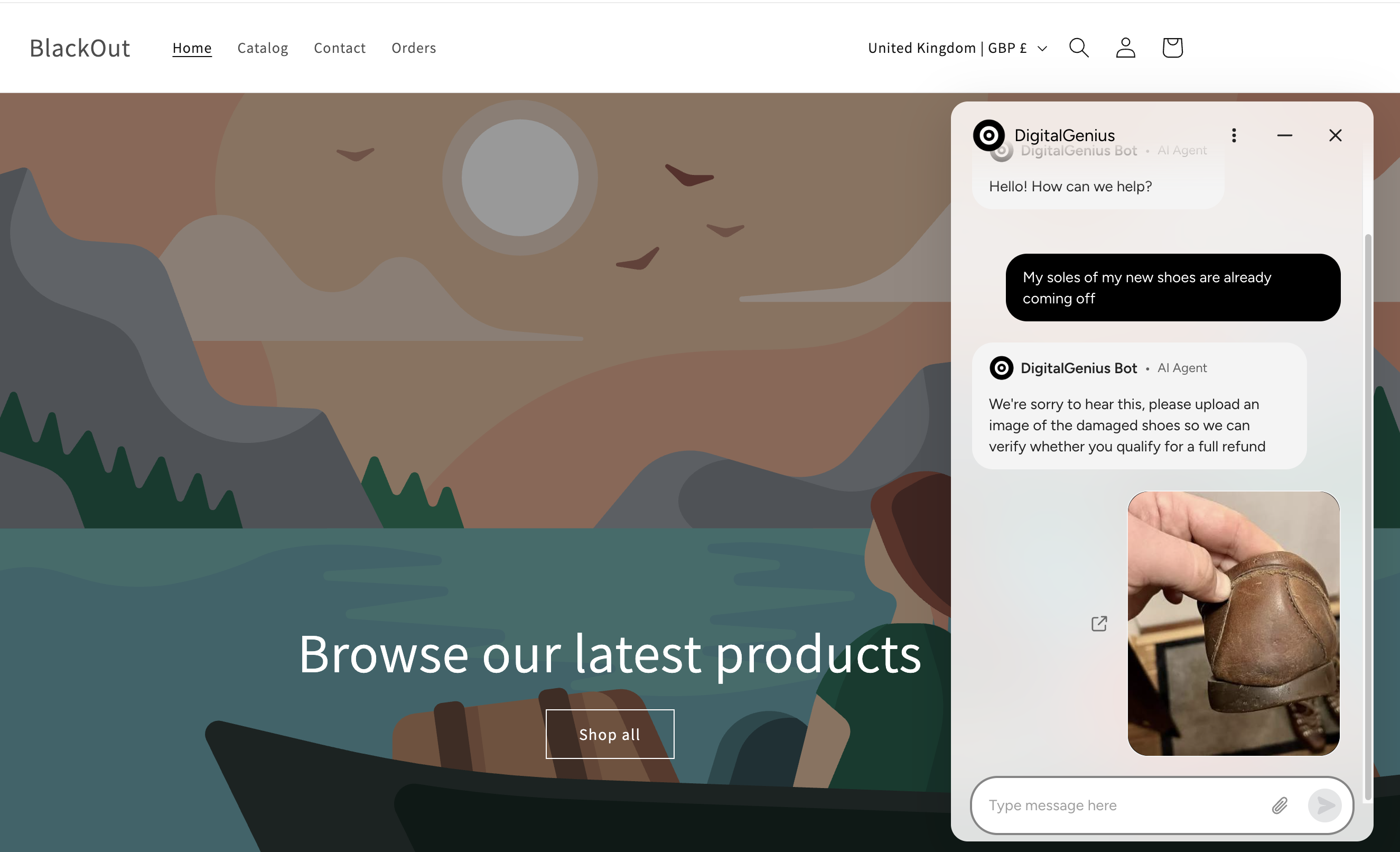
File Upload
Customers can upload single or multiple files by clicking the upload icon or
dragging and dropping files into the widget, with image previews shown in the
conversation.
Signature
Ask customers to draw a signature — to authorise a return, for example — in a
modal in the centre of the widget. The signature is added to the conversation
as an image attachment.
Sign in
Ask customers to sign in on the merchant's own Shopify login page so the flow
can identify them without collecting an order number and email. After signing
in they are returned to the same page, with the conversation intact.
See the Sign in documentation.
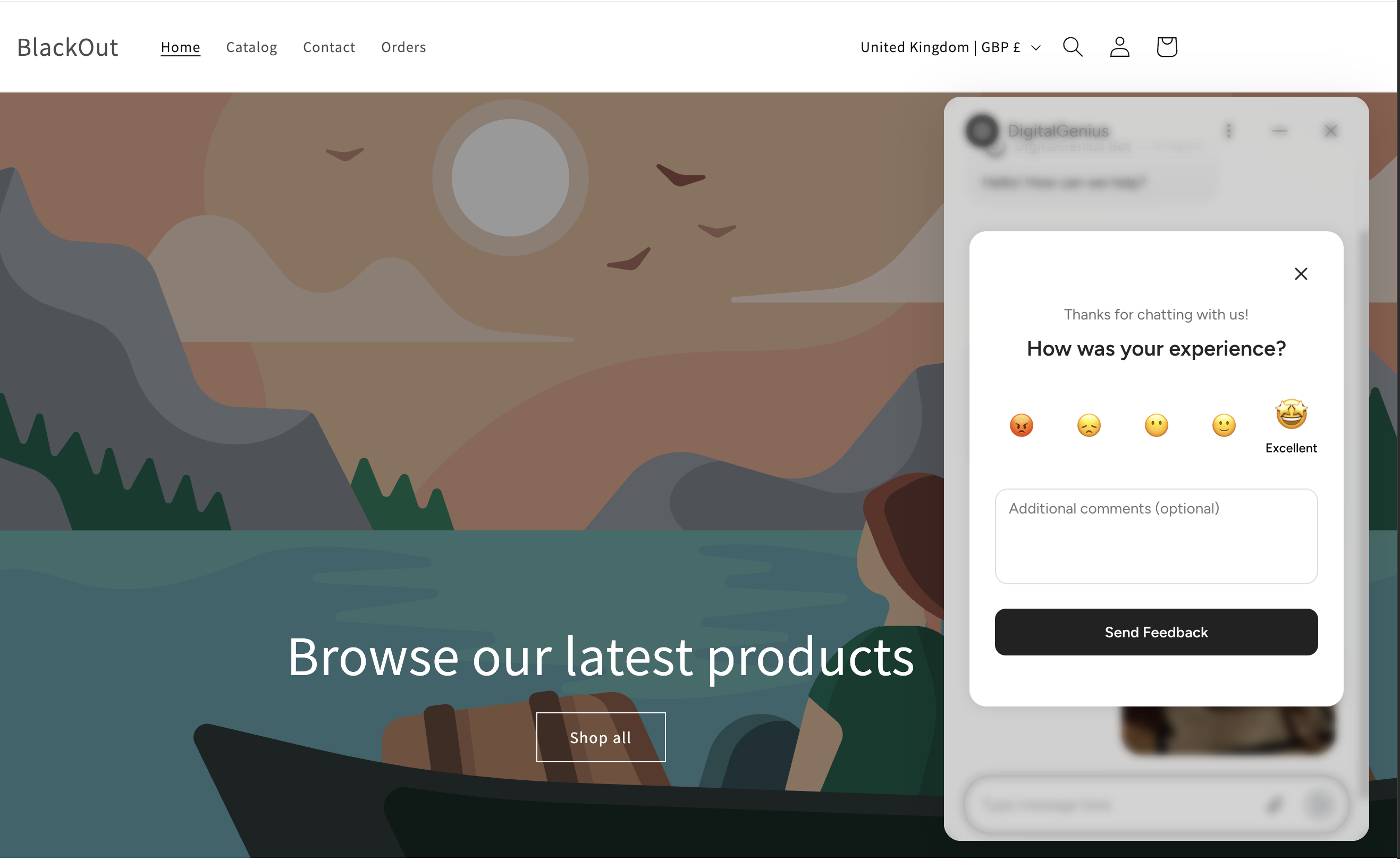
CSAT
When a conversation is ended — by the customer or by an agent — collect a
satisfaction score and optional comments.
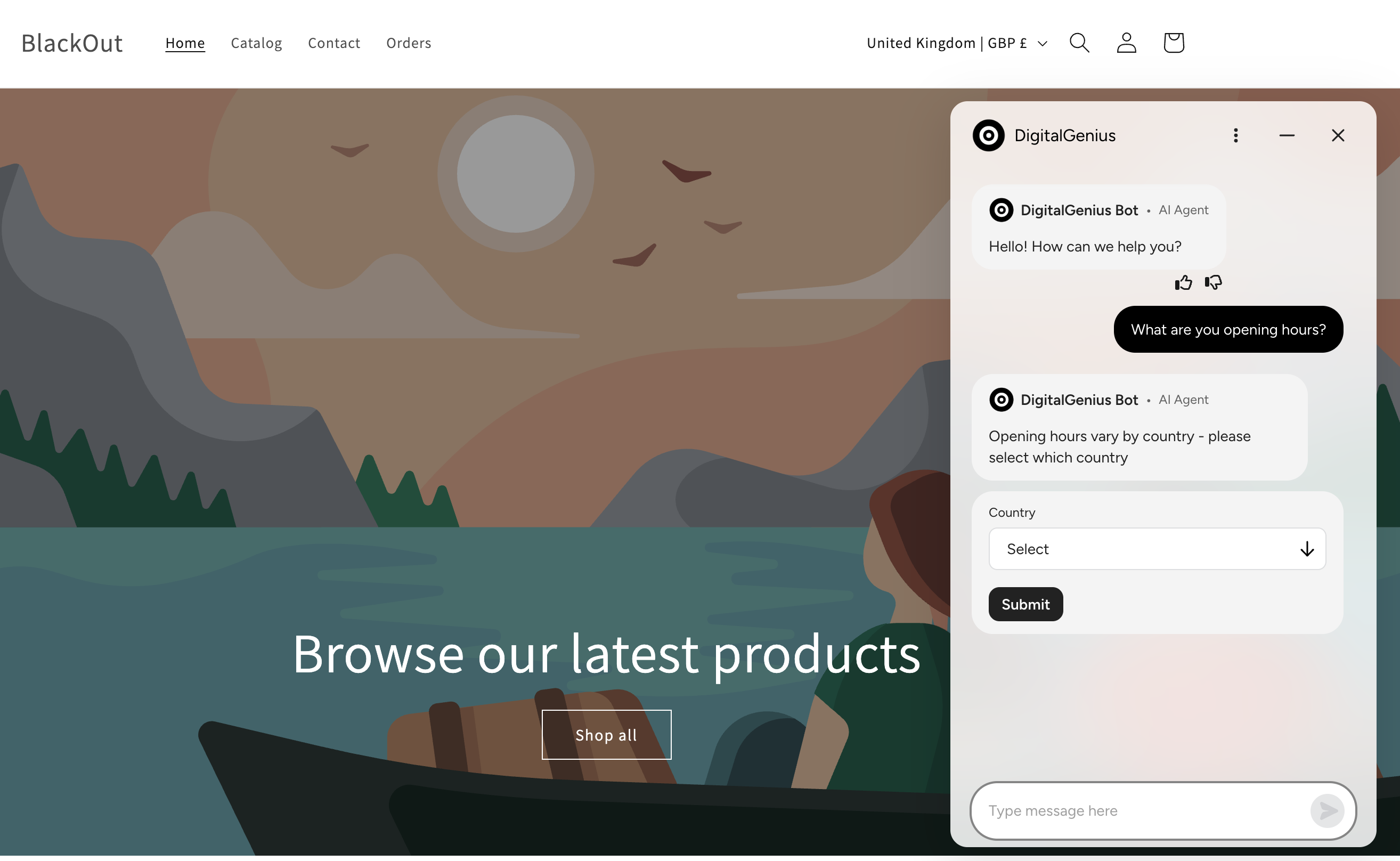
Select dropdown
Offer a compact single-select dropdown inside a message, ideal for longer
option sets where a list would take up too much space.
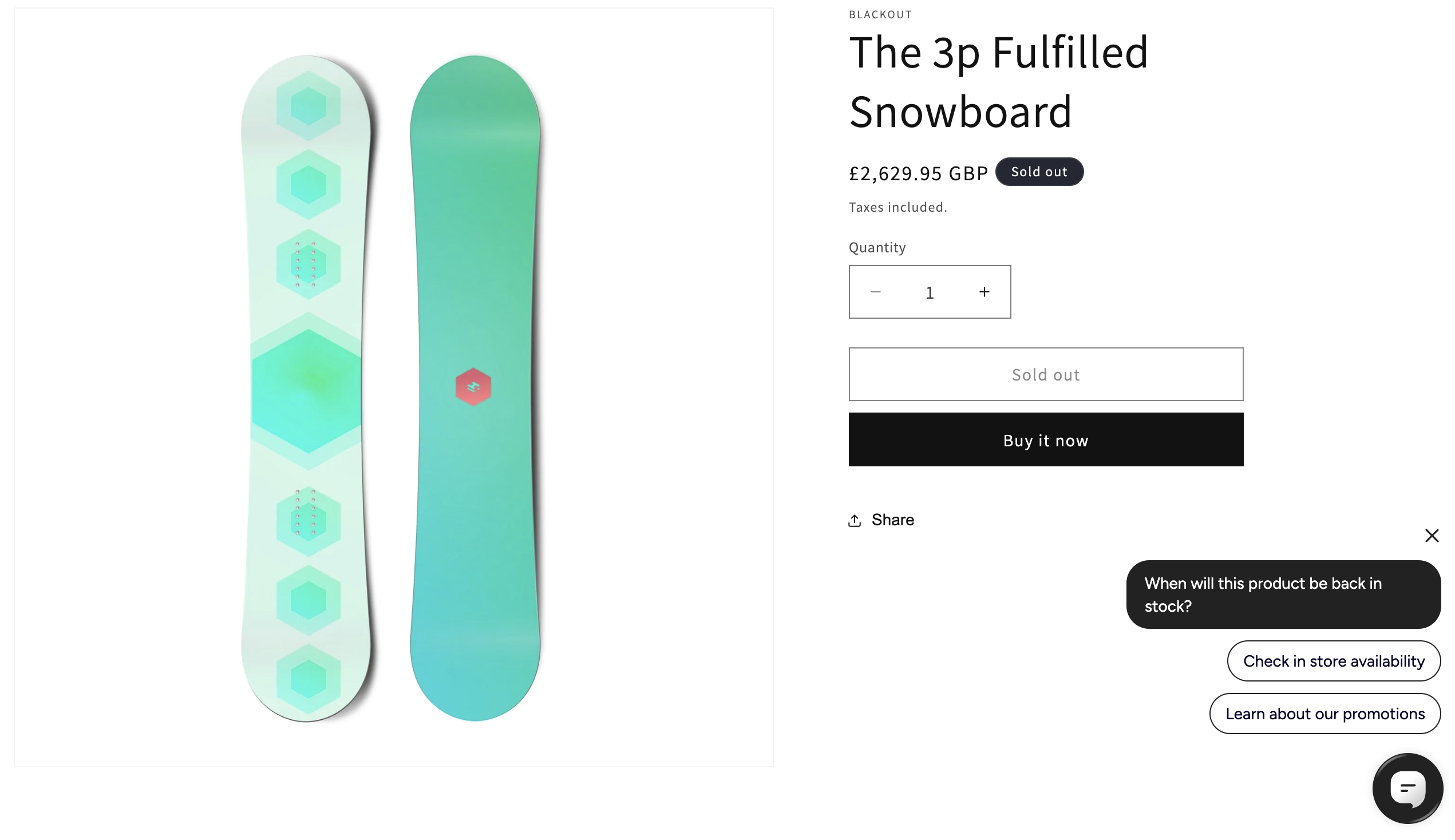
Proactive Buttons
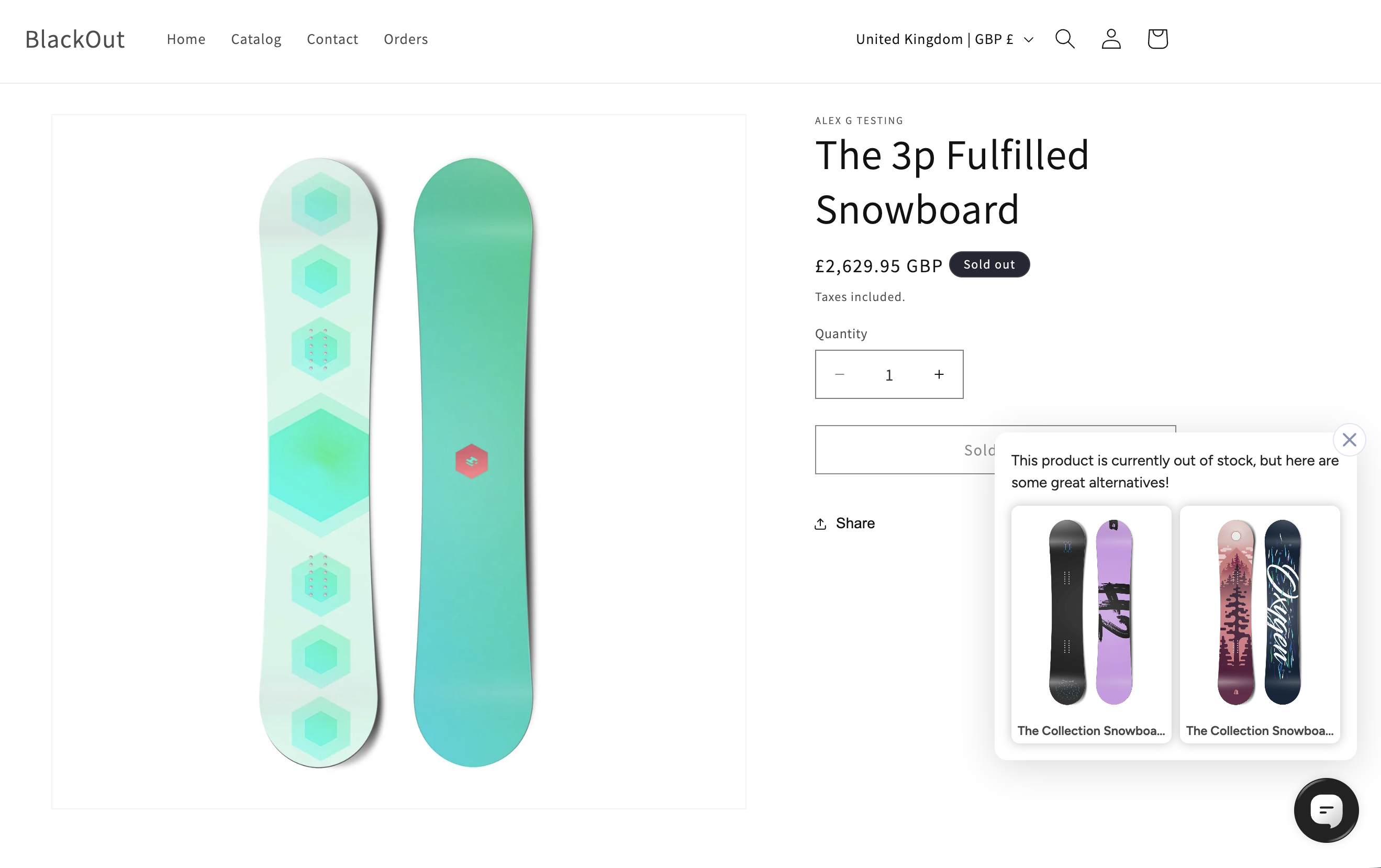
Proactive Buttons can be triggered anywhere on your site to prompt customers
with contextual questions — for example, when an item is sold out.
Tab Syncing
Conversations sync between multiple tabs, and survive page reloads — the
customer can navigate your site mid-conversation without losing their place,
right down to an in-progress form or survey.
Agent Handover
Hand customers over to a live agent, with their position in the queue
displayed while they wait and notifications when an agent joins or leaves.
Agents see the full conversation history and everything the customer has
already provided, so the customer never has to repeat themselves.
Helpdesks
We currently support handover to the following helpdesks:
- Salesforce
- Dixa
- Oracle
- Freshchat
- Sunshine Conversations
- Kustomer
- Gorgias
- Gladly
Updated about 1 month ago