
Welcome Screen
The welcome screen is an optional home view shown when a customer opens the widget and no conversation has started yet. Instead of dropping them straight into a chat, it greets them and surfaces the things they most likely came for.
If you use a pre-chat form, that appears first; the welcome
screen follows after the form is submitted.
Every section below can be turned on or off independently, and you can choose the order they appear in.
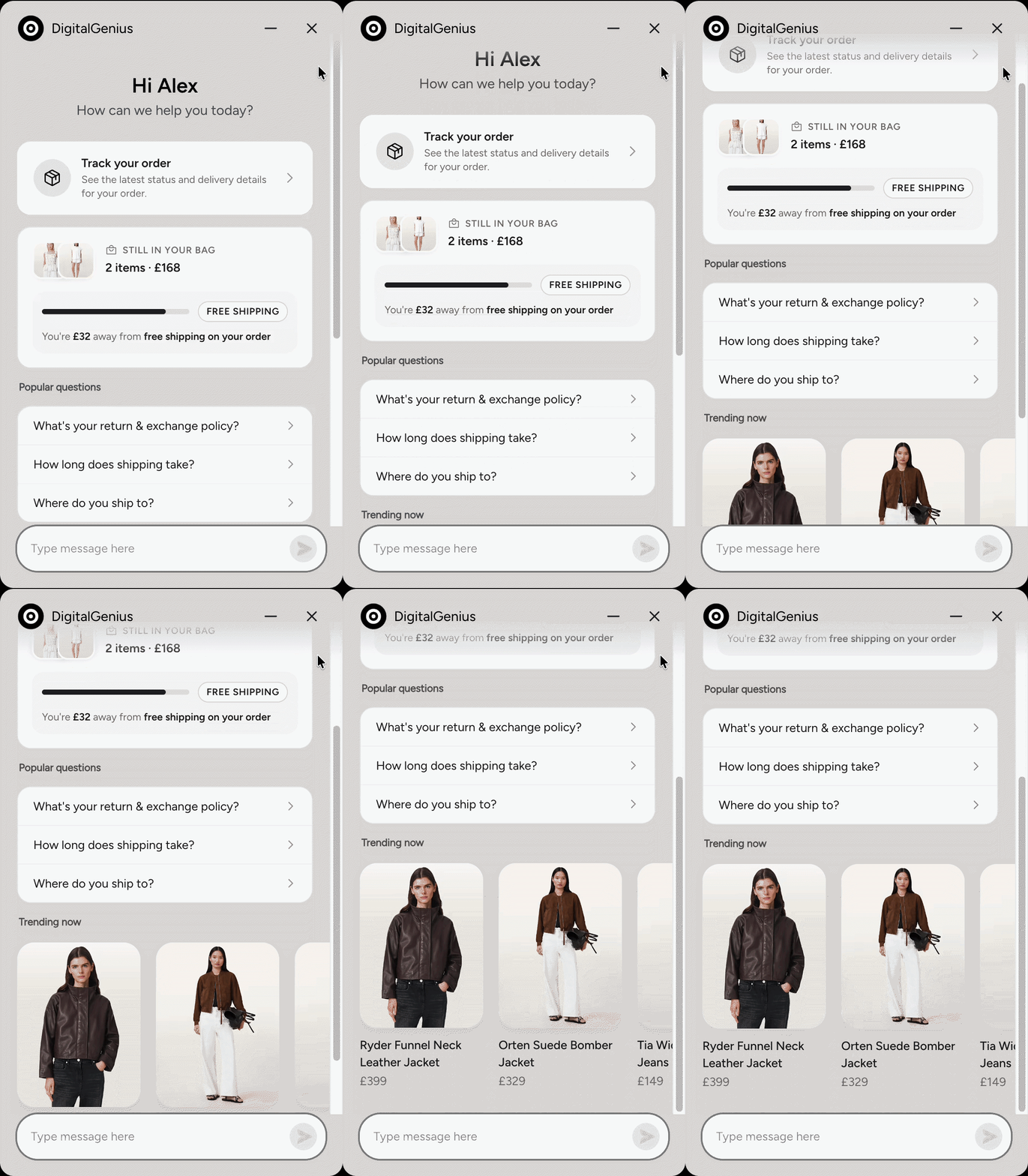
Greeting
A short title and subtitle sit at the top of the screen — for example,
"Hi there!" and "How can we help you today?".
When the customer's name is known (for example from a pre-chat form), the
greeting can personalise to "Hi {name}".
Current product
Available for Shopify stores.
When the customer opens the widget from a product page, a "You're viewing"
card highlights that product — image, name, vendor, and price.
They can dismiss the card, or tap Ask anything about the product to start
a conversation about it.
If they are not on a product page, this section is hidden automatically.
Where is my order?
Helps customers check on an order without hunting for a tracking link first.
What they see depends on whether their details are already known:
Recognised customers (for example logged in on Shopify, or after a
pre-chat form) get a one-tap Track your orders card when the widget
already has the details it needs.
Guests can enter their order details (order number and email by default;
name can be included too) to start tracking. You can optionally validate the
format of the order number so typos are caught early.
Cart promotion
Available for Shopify stores only.
A "Still in your bag" card that summarises the customer's current cart —
product thumbnails, item count, and total.
When a reward is configured (for example free shipping or a discount once the
cart reaches a minimum spend), the card shows:
- a progress bar while the customer is still short of the threshold
- a celebration message and a Go to cart button once the reward is unlocked
If the cart is empty, this section is hidden automatically.
Buy it again
Available for Shopify stores.
For recognised customers who have a previous order, a "Buy it again" card
shows items from their last purchase. They can add a single item, or add the
whole order back to the cart in one tap.
Guests, and customers with no previous order, do not see this section.
Popular questions
A list of your most common questions — returns, shipping, sizing, and so on.
Tapping a question starts the conversation with that question, exactly as if
the customer had typed it themselves. Use this to guide people to the help
they need in a single tap.
Featured products
A horizontally scrolling carousel of products you choose to highlight — for
example bestsellers or seasonal picks. Each card can show an image, name, and
price.
Tapping a product can either:
- start a conversation about that product, or
- open the product page on your site
Starting a conversation
At the bottom of the welcome screen, customers can still type a free-text
message as usual. Sending a message (or tapping any of the actions above)
starts the conversation and takes them into the chat.
Updated about 2 months ago